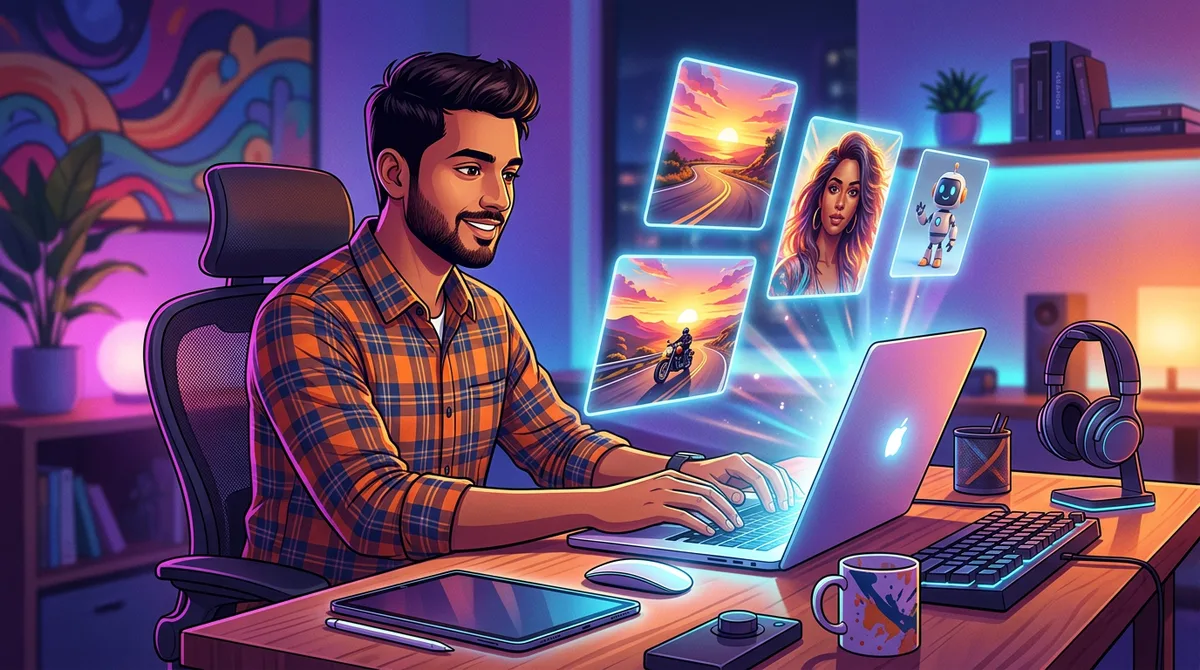
AI image generator ನಲ್ಲಿ ಎರಡು ಮೂರು ಪದ type ಮಾಡೋದು ತುಂಬಾ ಸುಲಭ. ಆದರೆ ನಮ್ಮ ತಲೆಯಲ್ಲಿರೋ photo ನೇ ಸರಿಯಾಗಿ ಬರಬೇಕು ಅಂದ್ರೆ ಅಷ್ಟು ಸುಲಭ ಅಲ್ಲ. ಹೆಚ್ಚಿನವರು “boy on bike” ಅಂತ type ಮಾಡಿ, ಬಂದ result flat ಆಗಿ, random ಆಗಿ ಕಂಡಾಗ ಬೇಸರ ಮಾಡ್ಕೋತಾರೆ. ಒಂದು ಸಾಧಾರಣ AI image ಮತ್ತು ನೋಡಿದ ತಕ್ಷಣ wow ಅನ್ನಿಸೋ image ನಡುವಿನ ವ್ಯತ್ಯಾಸ ಬಹುತೇಕ ಯಾವಾಗಲೂ prompt ನಲ್ಲೇ ಇರುತ್ತೆ. ಈ guide ನಲ್ಲಿ Google Gemini, ChatGPT, Leonardo ಮತ್ತು ಇತರ popular tools ನಲ್ಲಿ sharp, realistic ಮತ್ತು creative images ಪಡೆಯೋಕೆ ಪ್ರತಿ ಬಾರಿ ಬಳಸಬಹುದಾದ ಒಂದು ಸರಳ ವಿಧಾನವನ್ನು ಕಲಿಯೋಣ.
AI Image Prompt ಅಂದ್ರೆ ಏನು?
ನಿಮಗೆ ಬೇಕಾದ image ಹೇಗಿರಬೇಕು ಅಂತ AI tool ಗೆ ಕೊಡೋ text instruction ಗೆ prompt ಅಂತಾರೆ. AI ನೀವು ಬರೆದ ಪ್ರತಿಯೊಂದು ಪದವನ್ನೂ ಓದಿ, ಅದನ್ನು visual details ಆಗಿ ಬದಲಾಯಿಸೋಕೆ ಪ್ರಯತ್ನಿಸುತ್ತೆ. Prompt ಚಿಕ್ಕದಾಗಿ, ಅಸ್ಪಷ್ಟವಾಗಿದ್ರೆ AI ಊಹೆ ಮಾಡಬೇಕಾಗುತ್ತೆ, ಆಗ ಅದು ಖಾಲಿ ಜಾಗವನ್ನು ಸಾಮಾನ್ಯ, generic ಆಯ್ಕೆಗಳಿಂದ ತುಂಬುತ್ತೆ. ಅದೇ prompt clear ಆಗಿ, detail ಆಗಿದ್ರೆ AI ಗೆ ಊಹೆ ಮಾಡೋ ಕೆಲಸ ಕಡಿಮೆ, follow ಮಾಡೋ ವಿಷಯ ಜಾಸ್ತಿ. ನಿಮ್ಮ ಮನಸ್ಸಲ್ಲಿರೋದನ್ನು ನೋಡೋಕೆ ಆಗದ ಒಬ್ಬ professional photographer ಗೆ photo ವಿವರಿಸ್ತಿದ್ದೀರಿ ಅಂತ ಅಂದ್ಕೊಳ್ಳಿ: ನೀವು ಎಷ್ಟು ನಿಖರವಾಗಿ ಹೇಳ್ತೀರೋ, final photo ಅಷ್ಟೇ ಹತ್ತಿರ ಬರುತ್ತೆ.
6-Part Prompt Formula
ಕಷ್ಟದ tricks ಏನೂ ಬಾಯಿಪಾಠ ಮಾಡಬೇಕಿಲ್ಲ. ಬಹುತೇಕ ಎಲ್ಲಾ ಒಳ್ಳೆಯ image prompts ಆರು ಸರಳ ಪ್ರಶ್ನೆಗಳಿಗೆ ಉತ್ತರ ಕೊಡುತ್ತವೆ. ಪ್ರತಿ ಸಲ prompt ಬರೆಯುವಾಗ ಇವುಗಳನ್ನು ಒಂದು checklist ತರ ಬಳಸಿ.
1. Subject – Image ನಲ್ಲಿ ಯಾರು ಅಥವಾ ಏನು ಇದೆ?
ಮೊದಲು main subject ಬರೆಯಿರಿ, ಅದೂ specific ಆಗಿ. “a girl” ಅಂತ ಬರೆಯೋ ಬದಲು “a young Indian woman in her twenties wearing a yellow cotton saree” ಅಂತ ಬರೆಯಿರಿ. ವಯಸ್ಸು, ಬಟ್ಟೆ, expression, pose ಮುಖ್ಯ ಅನ್ನಿಸಿದ್ರೆ ಅವನ್ನೂ ಸೇರಿಸಿ. Subject ಎಷ್ಟು specific ಆಗಿರುತ್ತೋ, image ಕೂಡ ಅಷ್ಟೇ specific ಆಗಿ ಬರುತ್ತೆ.
2. Action – ಏನು ನಡೀತಿದೆ?
Subject ಏನಾದ್ರೂ ಮಾಡ್ತಿದ್ರೆ image ಜೀವಂತವಾಗಿ ಕಾಣುತ್ತೆ. “smiling and holding a cup of filter coffee”, “walking through a crowded market” ಅಥವಾ “looking out of a train window” ಅಂಥ action ಗಳು photo ಗೆ ಒಂದು story ಮತ್ತು feeling ಕೊಡುತ್ತವೆ.
3. Setting – ಎಲ್ಲಿ ನಡೀತಿದೆ?
Background ಮತ್ತು location ವಿವರಿಸಿ: “a rainy street in Mangaluru at night”, “a quiet beach at sunrise” ಅಥವಾ “a modern studio with a plain grey wall”. ಹೊಸದಾಗಿ ಶುರು ಮಾಡಿದವರು ಅಂದ್ಕೊಳ್ಳೋದಕ್ಕಿಂತ ಜಾಸ್ತಿ, setting ನೇ image ನ mood ಅನ್ನು decide ಮಾಡುತ್ತೆ.
4. Lighting – Scene ನಲ್ಲಿ ಬೆಳಕು ಹೇಗಿದೆ?
Professional look ಬರೋಕೆ lighting ನೇ ಅಸಲಿ secret. “soft golden hour light”, “dramatic side lighting”, “neon reflections” ಅಥವಾ “bright natural daylight” ಅಂಥ phrases try ಮಾಡಿ. ಬೇರೆ ಏನೂ ಬದಲಾಯಿಸದೆ lighting ಒಂದನ್ನೇ ಬದಲಾಯಿಸಿದ್ರೂ ಅದೇ prompt ಸಂಪೂರ್ಣ ಬೇರೆ ತರ ಕಾಣುತ್ತೆ.
5. Camera ಮತ್ತು Style – Image ಹೇಗೆ ಕಾಣಬೇಕು?
ನಿಮಗೆ ಯಾವ ರೀತಿಯ image ಬೇಕು ಅಂತ AI ಗೆ ಹೇಳಿ: “realistic DSLR photo, 50mm lens, shallow depth of field”, “3D cartoon style”, “oil painting” ಅಥವಾ “cinematic movie still”. Close-up, wide shot, low angle ಅಂಥ camera terms ಬಳಸಿದ್ರೆ framing ನಿಮ್ಮ control ನಲ್ಲಿರುತ್ತೆ.
6. Quality ಮತ್ತು Details – ಕೊನೆಯ finishing touch ಏನು?
Sharpness ಮತ್ತು finish ಹೆಚ್ಚಿಸೋ details ನಿಂದ prompt ಮುಗಿಸಿ, ಉದಾಹರಣೆಗೆ “highly detailed”, “sharp focus”, “natural skin texture” ಅಥವಾ “4K quality”. ನಿಮ್ಮ tool support ಮಾಡಿದ್ರೆ aspect ratio ಕೂಡ ಹೇಳಿ, ಉದಾ: “vertical 9:16 for Instagram Reels”.
Weak Prompt vs Strong Prompt: ಒಂದು Real Example
Weak prompt: “man with bike”
Strong prompt: “A stylish young man in a black leather jacket sitting on a classic red motorcycle, parked on an empty coastal highway at sunset, warm golden light on his face, wind in his hair, realistic photo, 85mm lens, shallow depth of field, cinematic colours, highly detailed, vertical 9:16.”
ಈ strong prompt ಆರೂ ಪ್ರಶ್ನೆಗಳಿಗೆ ಉತ್ತರ ಕೊಡುತ್ತೆ: subject (leather jacket ಹಾಕಿದ ಹುಡುಗ), action (bike ಮೇಲೆ ಕೂತಿದ್ದಾನೆ), setting (sunset ಹೊತ್ತಿನ coastal highway), lighting (ಮುಖದ ಮೇಲೆ golden light), camera style (85mm lens, shallow depth of field) ಮತ್ತು quality (highly detailed, 9:16). AI ಗೆ ಈಗ ಊಹೆ ಮಾಡೋ ಅಗತ್ಯನೇ ಇಲ್ಲ, ಹಾಗಾಗಿ result ಪ್ಲಾನ್ ಮಾಡಿದ ಹಾಗೆ, professional ಆಗಿ ಕಾಣುತ್ತೆ.
Ready-to-Use Prompt Templates
ಕೆಳಗಿನ templates copy ಮಾಡಿ, brackets [ ] ಒಳಗಿರೋ ಪದಗಳ ಜಾಗದಲ್ಲಿ ನಿಮ್ಮ idea ಹಾಕಿ. Prompt English ನಲ್ಲೇ ಇರಲಿ, AI tool ಗೆ ಹಾಗೇ paste ಮಾಡಿ. ಇನ್ನಷ್ಟು ready prompts ಬೇಕಿದ್ರೆ ನಮ್ಮ AI photo prompt Kannada collection ನೋಡಿ.
- Portrait photo: “A realistic portrait of [person description], [expression], wearing [clothing], in [location], [lighting], shot on 85mm lens, soft background blur, natural skin texture, highly detailed.” – ಒಬ್ಬರ ಮುಖ ಮತ್ತು expression ಗೆ focus ಇರೋ ನೈಜ portrait ಗೆ ಇದು ಸೂಕ್ತ.
- Festival edit: “[Person description] celebrating [festival] with [props such as diyas, rangoli, flowers], [location], warm festive lighting, vibrant colours, realistic photo, sharp focus.” – ದೀಪಾವಳಿ, ಯುಗಾದಿ, ದಸರಾ ಅಂಥ ಹಬ್ಬದ photos ಮತ್ತು status ಗೆ ಬಳಸಿ.
- Cinematic scene: “Cinematic movie still of [subject] [action] in [setting], [time of day], dramatic lighting, wide shot, film grain, rich colours.” – ಸಿನಿಮಾ scene ತರ ಕಾಣೋ dramatic photo ಬೇಕಿದ್ರೆ ಇದು.
- Cartoon or 3D style: “A cute 3D cartoon character of [subject], [action], in [setting], soft studio lighting, Pixar-style, bright colours, clean background.” – ಮಕ್ಕಳ photos, stickers ಅಥವಾ fun posts ಗೆ ಚೆನ್ನಾಗಿರುತ್ತೆ.
ನಿಮ್ಮದೇ Photo ಬಳಸಿ AI Tools ನಲ್ಲಿ Edit ಮಾಡೋದು
Google Gemini ಸೇರಿದಂತೆ ಹಲವು tools ನಲ್ಲಿ ನಿಮ್ಮ photo upload ಮಾಡಿ, ಅದನ್ನು ಹೇಗೆ ಬದಲಾಯಿಸಬೇಕು ಅಂತ ಬರೆಯಬಹುದು. ನಿಮ್ಮ personal photo edit ಮಾಡುವಾಗ ಯಾವುದು ಬದಲಾಗಬಾರದು ಅನ್ನೋದನ್ನು clear ಆಗಿ ಹೇಳಿ. ಉದಾಹರಣೆಗೆ: “Keep my face and hairstyle exactly the same. Change the background to a snowy mountain at sunrise and dress me in a red winter jacket. Realistic photo, natural lighting.” ಇಲ್ಲಿ ಮೊದಲ ಸಾಲು ಮುಖ ಮತ್ತು hairstyle ಹಾಗೇ ಇರಬೇಕು ಅಂತ ಹೇಳುತ್ತೆ, ನಂತರ background ಮತ್ತು ಬಟ್ಟೆ ಮಾತ್ರ ಬದಲಾಯಿಸೋಕೆ ಹೇಳುತ್ತೆ. ಏನು ಬದಲಾಗಬಾರದು ಅಂತ ಹೇಳಿದ್ರೆ AI ನಿಮ್ಮ ಮುಖವನ್ನು ಹಾಗೇ ಕಾಪಾಡುತ್ತೆ, ವಿಚಿತ್ರ ಮುಖಗಳು ಬರೋದು ತಪ್ಪುತ್ತೆ.
ಮಾಡಬಾರದ Common Mistakes
- ತುಂಬಾ vague ಆಗಿರೋದು: ಒಂದೋ ಎರಡೋ ಪದದ prompt ಕೊಟ್ರೆ random result ಬರುತ್ತೆ. ಯಾವಾಗಲೂ setting, lighting ಮತ್ತು style ಸೇರಿಸಿ.
- ಒಂದೇ ಸಲ ತುಂಬಾ ideas ತುರುಕೋದು: ಒಂದೇ image ನಲ್ಲಿ ಐದು subjects ಮತ್ತು ಮೂರು styles ಕೇಳಿದ್ರೆ AI confuse ಆಗುತ್ತೆ. ಒಂದು image ಗೆ ಒಂದೇ main idea ಇರಲಿ.
- ಒಂದಕ್ಕೊಂದು ವಿರುದ್ಧ instructions: “bright sunny day at midnight” ಅಥವಾ “realistic cartoon” ಅಂದ್ರೆ AI ಗೆ mixed signal ಹೋಗುತ್ತೆ. ಒಂದೇ direction ಆರಿಸಿ.
- ಒಂದು try ನಂತರ ಬಿಟ್ಟುಬಿಡೋದು: Lighting ಅಥವಾ camera angle ಬದಲಾಯಿಸೋ ಅಂಥ ಸಣ್ಣ ಬದಲಾವಣೆಗಳೇ ಹಲವು ಸಲ result ಸರಿ ಮಾಡುತ್ತವೆ. Prompting ಅನ್ನು ಒಂದು conversation ತರ ನೋಡಿ.
- Rules ನಿರ್ಲಕ್ಷಿಸೋದು: ನಿಜವಾದ ವ್ಯಕ್ತಿಗಳ ತಪ್ಪು ದಾರಿಗೆಳೆಯೋ images, commercial ಬಳಕೆಗಾಗಿ copyrighted characters ಅಥವಾ ಹಾನಿಕಾರಕ ವಿಷಯ ಮಾಡಬೇಡಿ. ಹೆಚ್ಚಿನ tools ಇವನ್ನು block ಮಾಡುತ್ತವೆ, ನಿಮ್ಮ account ಕೂಡ restrict ಆಗಬಹುದು.
ಒಳ್ಳೆಯ Result ಗೆ Quick Tips
- Prompts ಅನ್ನು clear, simple English ನಲ್ಲಿ ಬರೆಯಿರಿ. ಇವತ್ತಿನ tools ನಲ್ಲಿ keyword list ಎಷ್ಟು ಕೆಲಸ ಮಾಡುತ್ತೋ, ಸಹಜ ವಾಕ್ಯಗಳೂ ಅಷ್ಟೇ ಚೆನ್ನಾಗಿ ಕೆಲಸ ಮಾಡುತ್ತವೆ.
- ಅತಿ ಮುಖ್ಯ details ಮೊದಲು ಬರೆಯಿರಿ, ಯಾಕಂದ್ರೆ ಹಲವು generators ಮೊದಲ ಪದಗಳಿಗೆ ಜಾಸ್ತಿ weight ಕೊಡುತ್ತವೆ.
- ಚೆನ್ನಾಗಿ ಕೆಲಸ ಮಾಡಿದ prompts ಅನ್ನು notes app ನಲ್ಲಿ save ಮಾಡಿ, ಮತ್ತೆ ಬಳಸೋಕೆ ಮತ್ತು improve ಮಾಡೋಕೆ ಸುಲಭ ಆಗುತ್ತೆ.
- ಮೊದಲ ಸಲಾನೇ perfect ಬರಬೇಕು ಅಂತ ನಿರೀಕ್ಷಿಸದೆ, ಹಲವು versions generate ಮಾಡಿ, ಅದರಲ್ಲಿ best ಆರಿಸಿ.
- Colour grading, text, cropping ಅಂಥ final touches ಗೆ image ಅನ್ನು ಒಂದು editing app ನಲ್ಲಿ finish ಮಾಡಿ.
ಕೊನೆಯ ಮಾತು
ಒಳ್ಳೆಯ AI images ಅದೃಷ್ಟದಿಂದ ಬರೋದಿಲ್ಲ, clear instructions ನಿಂದ ಬರುತ್ತವೆ. Subject, action, setting, lighting, style ಮತ್ತು quality ಈ ಆರನ್ನೂ ವಿವರಿಸಿದಾಗ, ನೀವು ಕಲ್ಪಿಸಿಕೊಂಡಿದ್ದನ್ನು ಮಾಡೋಕೆ AI ಗೆ ಬೇಕಾದ ಎಲ್ಲವೂ ಸಿಕ್ಕಿರುತ್ತೆ. ಮೇಲಿನ templates ನಿಂದ ಶುರು ಮಾಡಿ, lighting ಮತ್ತು camera angles ಜೊತೆ experiment ಮಾಡಿ, ನಿಮ್ಮ best prompts ಅನ್ನು ಒಂದು personal library ತರ ಇಟ್ಟುಕೊಳ್ಳಿ. ChatGPT ನಲ್ಲಿ prompts ಬರೆಯೋದನ್ನು ಇನ್ನಷ್ಟು ಕಲಿಯೋಕೆ ನಮ್ಮ ChatGPT prompt Kannada guide ಓದಿ. ಸ್ವಲ್ಪ practice ಮಾಡಿದ್ರೆ ಸಾಕು, Instagram, WhatsApp status ಮತ್ತು YouTube thumbnails ನಲ್ಲಿ ಎಲ್ಲರ ಗಮನ ಸೆಳೆಯೋ AI photos ನೀವೇ ಮಾಡ್ತೀರಿ.
Frequently Asked Questions (FAQ)
Beginners ಗೆ ಯಾವ AI tool best?
Google Gemini ಮತ್ತು ChatGPT ಶುರು ಮಾಡೋಕೆ ಸುಲಭ. ಇವುಗಳಲ್ಲಿ ಸಾಮಾನ್ಯ ವಾಕ್ಯಗಳಲ್ಲೇ prompt ಬರೆಯಬಹುದು, result ಇಷ್ಟ ಆಗದಿದ್ರೆ ಏನು ಬದಲಾಗಬೇಕು ಅಂತ ಕೇಳಿದ್ರೆ ಸಾಕು.
Prompt ಉದ್ದ ಇದ್ರೆ ಯಾವಾಗಲೂ image ಚೆನ್ನಾಗಿ ಬರುತ್ತಾ?
ಯಾವಾಗಲೂ ಅಲ್ಲ. Prompt detail ಆಗಿರಬೇಕು, ಆದರೆ focused ಆಗಿರಬೇಕು. ಸಂಬಂಧವಿಲ್ಲದ keywords ನ ಉದ್ದದ list ಗಿಂತ, ಚೆನ್ನಾಗಿ ಆರಿಸಿದ 30 ರಿಂದ 60 ಪದಗಳು ಸಾಮಾನ್ಯವಾಗಿ ಜಾಸ್ತಿ ಚೆನ್ನಾಗಿ ಕೆಲಸ ಮಾಡುತ್ತವೆ.
Kannada ಅಥವಾ Hindi ನಲ್ಲಿ prompt ಬರೆಯಬಹುದಾ?
ಕೆಲವು tools ಭಾರತೀಯ ಭಾಷೆಗಳನ್ನು ಅರ್ಥ ಮಾಡ್ಕೊಳ್ಳುತ್ತವೆ, ಆದರೆ ಇವತ್ತಿಗೂ English prompts ನಿಂದಲೇ ಹೆಚ್ಚು accurate ಮತ್ತು consistent results ಬರುತ್ತವೆ.
8 thoughts on “AI Image Prompt ಬರೆಯುವುದು ಹೇಗೆ? 6-Part Formula Kannada Guide”