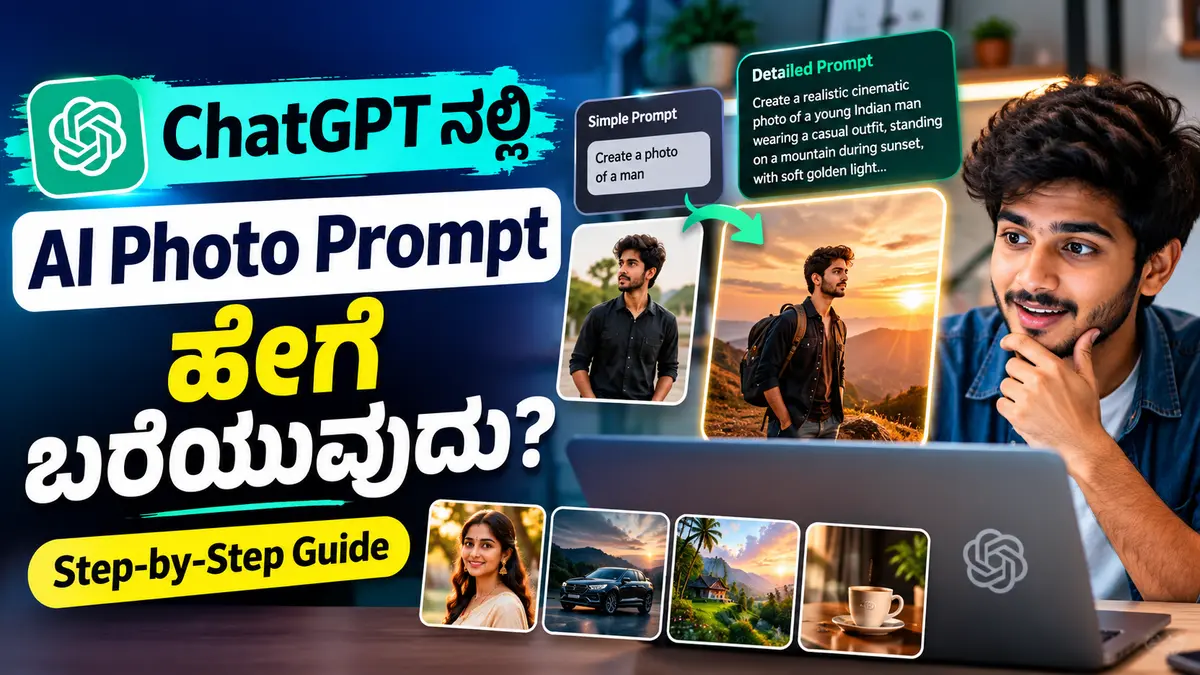
AI ಬಳಸಿ realistic photo, cinematic portrait, product image, poster ಅಥವಾ social media creative ಮಾಡುವುದು ಈಗ ತುಂಬಾ ಸುಲಭವಾಗಿದೆ. ಆದರೆ image generatorಗೆ ಕೇವಲ “ಒಂದು ಚೆನ್ನಾದ photo ಮಾಡು” ಎಂದು ಹೇಳಿದರೆ ನಮಗೆ ಬೇಕಾದ exact result ಸಿಗದೇ ಇರಬಹುದು.
ಒಳ್ಳೆಯ AI image ಪಡೆಯಲು ಸರಿಯಾದ Photo Prompt ಬಹಳ ಮುಖ್ಯ.
ನಿಮಗೆ prompt ಬರೆಯುವುದು ಗೊತ್ತಿಲ್ಲದಿದ್ದರೂ ಸಮಸ್ಯೆ ಇಲ್ಲ. ನಿಮ್ಮ idea ಅನ್ನು simple languageನಲ್ಲಿ ChatGPTಗೆ explain ಮಾಡಿದರೆ, ಅದನ್ನು detailed AI photo prompt ಆಗಿ convert ಮಾಡಿಸಬಹುದು.
ಈ guideನಲ್ಲಿ ChatGPT ಬಳಸಿ AI Photo Prompt ಹೇಗೆ ಬರೆಯುವುದು, promptನಲ್ಲಿ ಯಾವ details ಸೇರಿಸಬೇಕು, realistic photoಗೆ ಯಾವ words useful, ಯಾವ mistakes avoid ಮಾಡಬೇಕು ಮತ್ತು ready-to-use examples ಹೇಗೆ ಮಾಡಬಹುದು ಎಂಬುದನ್ನು step-by-step ನೋಡೋಣ.
AI Photo Prompt ಎಂದರೇನು?
AI Image Generatorಗೆ ನಾವು create ಮಾಡಬೇಕಾದ image ಬಗ್ಗೆ ನೀಡುವ detailed instruction ಅನ್ನು AI Photo Prompt ಎಂದು ಕರೆಯಬಹುದು.
ಉದಾಹರಣೆಗೆ:
“Create a portrait of a young man.”
ಇದು simple prompt.
AIಗೆ young man ಬೇಕು ಎಂಬ information ಸಿಗುತ್ತದೆ. ಆದರೆ ಅವನು ಹೇಗೆ ಕಾಣಬೇಕು, ಯಾವ dress, background, lighting, camera angle ಅಥವಾ image style ಬೇಕು ಎಂಬುದು clear ಇಲ್ಲ.
ಇದನ್ನು detailed prompt ಆಗಿ ಹೀಗೆ ಮಾಡಬಹುದು:
“Create a realistic cinematic portrait of a young Indian man wearing a black casual shirt, standing on a city street during golden hour, soft sunlight on the face, natural skin texture, shallow depth of field, professional photography, 85mm lens look, vertical 9:16 composition.”
ಎರಡನೇ promptನಲ್ಲಿ scene ಬಗ್ಗೆ ಹೆಚ್ಚು clarity ಇರುವುದರಿಂದ image ಕೂಡ ಹೆಚ್ಚು controlled ಆಗಿ ಬರಲು ಸಾಧ್ಯ.
ChatGPT Photo Generate ಮಾಡುತ್ತದೆಯೇ ಅಥವಾ Prompt ಮಾತ್ರ ಬರೆಯುತ್ತದೆಯೇ?
ChatGPTನಲ್ಲಿ image-generation capability available ಇದ್ದರೆ, prompt ಬರೆಯುವುದರ ಜೊತೆಗೆ image create ಮಾಡುವುದಕ್ಕೂ ಬಳಸಬಹುದು.
ಆದರೆ ChatGPTನ ಇನ್ನೊಂದು powerful use ಎಂದರೆ:
ನಿಮ್ಮ rough idea → detailed professional prompt
ಉದಾಹರಣೆಗೆ ನೀವು:
“ನನಗೆ village road ಮೇಲೆ bike ಜೊತೆ cinematic photo ಬೇಕು”
ಎಂದು ಹೇಳಬಹುದು.
ChatGPTಗೆ ಅದನ್ನು detailed prompt ಆಗಿ convert ಮಾಡಲು ಹೇಳಬಹುದು.
ಈ method ವಿಶೇಷವಾಗಿ prompt writing ಗೊತ್ತಿಲ್ಲದ beginnersಗೆ useful.
ಉತ್ತಮ AI Photo Prompt Formula
ಬಹುತೇಕ AI imagesಗಾಗಿ ಈ simple structure ಬಳಸಬಹುದು:
Subject + Appearance + Clothing + Pose/Action + Location + Lighting + Camera + Style + Composition
ಈ formulaನ ಪ್ರತಿಯೊಂದು ಭಾಗವನ್ನು ನೋಡೋಣ.
1. Subject
Imageನಲ್ಲಿ main subject ಯಾರು ಅಥವಾ ಏನು?
ಉದಾಹರಣೆ:
- Young Indian man
- Karnataka woman
- College student
- Luxury car
- Smartphone
- Coffee cup
- Traditional house
Subject clear ಆಗಿರಬೇಕು.
2. Appearance
Person ಇದ್ದರೆ basic appearance details ಸೇರಿಸಬಹುದು.
ಉದಾಹರಣೆ:
- Short black hair
- Natural skin texture
- Light beard
- Confident expression
- Friendly smile
ಇಲ್ಲಿ unnecessary ಅಥವಾ conflicting details avoid ಮಾಡಿ.
3. Clothing
Dress image moodಗೆ ದೊಡ್ಡ difference ಕೊಡುತ್ತದೆ.
ಉದಾಹರಣೆ:
“Wearing a crisp white shirt and dark trousers.”
ಅಥವಾ:
“Wearing a traditional white kurta with a simple gold-bordered shawl.”
Fashion photo create ಮಾಡುತ್ತಿದ್ದರೆ fabric, color ಮತ್ತು accessories ಕೂಡ mention ಮಾಡಬಹುದು.
4. Pose ಅಥವಾ Action
Subject ಏನು ಮಾಡುತ್ತಿದ್ದಾನೆ ಎಂಬುದನ್ನು explain ಮಾಡಿ.
ಉದಾಹರಣೆ:
- Walking toward the camera
- Sitting at a coffee shop
- Looking at a smartphone
- Working on a laptop
- Standing beside a motorcycle
- Looking over the shoulder
Pose mention ಮಾಡದೇ ಇದ್ದರೆ AI random pose choose ಮಾಡಬಹುದು.
5. Location ಮತ್ತು Background
Image ಎಲ್ಲಿ ನಡೆಯಬೇಕು?
ಉದಾಹರಣೆ:
- Modern office
- Bengaluru city street
- Village road
- Tropical garden
- Minimal studio
- Coffee shop
- Luxury hotel lobby
Background description subjectಗೆ complement ಆಗುವಂತೆ ಇರಲಿ.
Lighting ಯಾಕೆ Important?
AI photo promptನಲ್ಲಿ lighting ಒಂದು powerful element.
ಒಂದೇ subjectಗೆ different lighting ಕೊಟ್ಟರೆ completely different mood ಸಿಗಬಹುದು.
Golden Hour
Sunrise ಅಥವಾ sunset ಸಮಯದ warm light feel.
Prompt example:
“Soft golden-hour sunlight with warm rim light.”
Studio Lighting
Professional portraitಗಾಗಿ:
“Soft studio key light with subtle fill light and clean shadows.”
Cinematic Lighting
Dramatic resultಗಾಗಿ:
“Dramatic cinematic side lighting with deep shadows and subtle rim light.”
Natural Daylight
Simple realistic photographyಗಾಗಿ:
“Soft natural daylight with realistic skin tones.”
Beginners ಮೊದಲಿಗೆ lightingನ್ನು simple ಆಗಿಯೇ ಇಟ್ಟುಕೊಳ್ಳಬಹುದು.
Camera Details ಸೇರಿಸಬೇಕೇ?
Every promptನಲ್ಲಿ technical camera settings ಅಗತ್ಯವಿಲ್ಲ.
ಆದರೆ photography-style output ಬೇಕಿದ್ದರೆ camera-related descriptions useful ಆಗಬಹುದು.
ಉದಾಹರಣೆ:
- Close-up portrait
- Eye-level camera
- Low-angle shot
- Full-body shot
- 85mm portrait lens look
- Shallow depth of field
- Soft background blur
- Wide-angle composition
Technical numbers copy ಮಾಡುವುದಕ್ಕಿಂತ ನಿಮಗೆ ಬೇಕಿರುವ visual effect ಅನ್ನು describe ಮಾಡುವುದು ಹೆಚ್ಚು important.
ಉದಾಹರಣೆಗೆ:
“Portrait with a softly blurred background”
ಎಂಬುದು beginnerಗೆ ಸಾಕಾಗಬಹುದು.
Image Style ಹೇಗೆ Specify ಮಾಡಬೇಕು?
Image ಯಾವ lookನಲ್ಲಿ ಇರಬೇಕು ಎಂಬುದನ್ನು promptನಲ್ಲಿ mention ಮಾಡಿ.
Examples:
Realistic photography
Cinematic portrait
Editorial fashion photography
Minimal product photography
Professional studio portrait
Documentary photography
Luxury commercial advertisement
ಒಂದೇ promptನಲ್ಲಿ ತುಂಬಾ unrelated styles ಸೇರಿಸಿದರೆ output inconsistent ಆಗಬಹುದು.
ಉದಾಹರಣೆಗೆ:
“Realistic + watercolor + anime + documentary + 3D render”
ಎಲ್ಲವನ್ನೂ ಒಟ್ಟಿಗೆ ಸೇರಿಸುವುದು avoid ಮಾಡುವುದು ಉತ್ತಮ.
Aspect Ratio ಕೂಡ Important
Image ಯಾವ platformಗಾಗಿ ಬೇಕು ಎಂಬುದರ ಮೇಲೆ aspect ratio depend ಆಗುತ್ತದೆ.
Common formats:
1:1 – profile posts / square creatives
4:5 – Instagram feed portrait
9:16 – Reels, Shorts, Stories
16:9 – YouTube thumbnails, blog thumbnails, Google Discover images
Promptನಲ್ಲಿ:
“Vertical 9:16 composition”
ಅಥವಾ:
“Wide 16:9 composition”
ಎಂದು mention ಮಾಡಬಹುದು.
ChatGPTಗೆ Rough Idea ಕೊಟ್ಟು Prompt ಮಾಡಿಸುವುದು ಹೇಗೆ?
Suppose ನಿಮಗೆ ಈ idea ಇದೆ:
“ಒಬ್ಬ ಹುಡುಗ coffee shopನಲ್ಲಿ laptopನಲ್ಲಿ ಕೆಲಸ ಮಾಡುತ್ತಿರುವ cinematic photo ಬೇಕು.”
ChatGPTಗೆ ಹೀಗೆ ಹೇಳಬಹುದು:
“Turn this idea into a detailed realistic AI photo prompt. Include subject, clothing, pose, location, lighting, camera angle, depth of field and aspect ratio: A young Indian man working on a laptop in a coffee shop.”
ChatGPT ಇದನ್ನು structured prompt ಆಗಿ expand ಮಾಡಬಹುದು.
ನಂತರ outputನಲ್ಲಿ ನಿಮಗೆ ಬೇಡವಾದ details ಇದ್ದರೆ change ಮಾಡಬಹುದು.
ಉದಾಹರಣೆ:
“Change the outfit to a black hoodie.”
“Make the background more premium.”
“Convert this to vertical 9:16.”
“Make the lighting warmer.”
ಇದರಿಂದ prompt ಅನ್ನು gradually refine ಮಾಡಬಹುದು.
Example 1: Cinematic Portrait Prompt
Simple idea:
“Young man cinematic photo.”
Better prompt:
“Create a realistic cinematic portrait of a young Indian man in his mid-20s, wearing a dark denim jacket over a plain white T-shirt, standing beside a modern glass building during evening golden hour. He has a relaxed confident expression and looks slightly away from the camera. Use soft warm sunlight, subtle rim lighting, realistic skin texture, shallow depth of field, creamy background blur, professional editorial photography and a vertical 9:16 composition.”
ಈ promptನಲ್ಲಿ subject, clothing, pose, background, lighting, photography style ಮತ್ತು ratio ಎಲ್ಲವೂ clear ಇದೆ.
Example 2: AI Photo Prompt for Instagram
Suppose stylish Instagram portrait ಬೇಕು:
“Create a premium lifestyle portrait of a young Indian creator sitting at a modern café table with a smartphone and coffee cup, wearing a clean beige overshirt and black T-shirt. Natural relaxed pose, bright modern café interior, soft window light, realistic skin texture, subtle background blur, professional social-media photography, clean composition, vertical 4:5 aspect ratio.”
ಇದು social media postಗಾಗಿ clean prompt.
Example 3: Professional Profile Photo
“Create a professional head-and-shoulders portrait of a young Indian professional wearing a navy blazer and light shirt, looking directly at the camera with a friendly confident expression. Use a clean neutral studio background, soft balanced lighting, natural skin texture, realistic facial details, sharp eyes, professional corporate photography and square 1:1 composition.”
LinkedIn-style image ಅಥವಾ professional profile conceptಗೆ ಇಂತಹ structure use ಮಾಡಬಹುದು.
Example 4: Product Photo Prompt
AI photo prompts ಕೇವಲ personsಗಾಗಿ ಮಾತ್ರ ಅಲ್ಲ.
ಉದಾಹರಣೆ smartphone product photo:
“Create a premium commercial product photograph of a modern black smartphone standing upright on a clean dark desk, subtle reflections on the surface, soft blue accent lighting, minimal futuristic background, sharp product details, controlled studio lighting, luxury technology advertisement style, wide 16:9 composition.”
Product imagesನಲ್ಲಿ:
- Product
- Placement
- Surface
- Lighting
- Background
- Commercial style
ಇವು important.
AI Photo Promptನಲ್ಲಿ Negative Instructions ಯಾಕೆ?
ಕೆಲವು image generators unwanted elements avoid ಮಾಡಲು instructions understand ಮಾಡುತ್ತವೆ.
ಉದಾಹರಣೆಗೆ:
“Avoid distorted hands, extra fingers, duplicate objects, unreadable text, unnatural skin and cluttered background.”
ಇದನ್ನು promptನ ಕೊನೆಯಲ್ಲಿ add ಮಾಡಬಹುದು.
ಆದರೆ negative instructions ತುಂಬಾ ದೊಡ್ಡ list ಆಗಬಾರದು.
Most important issues ಮಾತ್ರ mention ಮಾಡಿ.
AI Imageನಲ್ಲಿ Text Add ಮಾಡಬೇಕಾದರೆ?
AI-generated imagesನಲ್ಲಿ exact text ಕೆಲವೊಮ್ಮೆ ತಪ್ಪಾಗಿ render ಆಗಬಹುದು.
Thumbnail ಅಥವಾ posterನಲ್ಲಿ exact Kannada/English text ಬೇಕಿದ್ದರೆ:
- Text ಅನ್ನು quotation marksನಲ್ಲಿ ನೀಡಿ.
- Exact spelling mention ಮಾಡಿ.
- Large readable typography ಕೇಳಿ.
- Text area ಎಲ್ಲಿ ಇರಬೇಕು ಎಂದು specify ಮಾಡಿ.
ಉದಾಹರಣೆ:
“Add large bold Kannada text on the left side: ‘AI Photo Prompt ಹೇಗೆ ಬರೆಯುವುದು?’ Render the text exactly as provided.”
Still final outputನಲ್ಲಿ spelling check ಮಾಡುವುದು important.
Critical poster text ಇದ್ದರೆ AI image create ಮಾಡಿ, text ಅನ್ನು Canva ಅಥವಾ image editorನಲ್ಲಿ manually add ಮಾಡುವುದೂ reliable option.
Common AI Photo Prompt Mistakes
1. ತುಂಬಾ Short Prompt
“Create handsome boy photo.”
ಇಂತಹ promptನಲ್ಲಿ AIಗೆ almost ಯಾವುದೇ direction ಇಲ್ಲ.
2. Conflicting Details
ಒಂದೇ imageಗೆ:
“Morning sunlight, midnight background, bright daylight, dark night”
ಎಲ್ಲವನ್ನೂ mix ಮಾಡಬೇಡಿ.
3. Too Many Unnecessary Details
Detailed prompt ಎಂದರೆ unlimited details ಅಲ್ಲ.
Imageಗೆ actual effect ಕೊಡುವ details ಮಾತ್ರ ಸೇರಿಸಿ.
4. Composition ಹೇಳದೇ ಇರುವುದು
Thumbnail ಮಾಡುತ್ತಿದ್ದರೆ text space ಬೇಕಿರಬಹುದು.
Promptನಲ್ಲಿ:
“Keep the subject on the right and leave negative space on the left for headline text.”
ಎಂದು clear ಆಗಿ ಹೇಳಿ.
5. First Result ಅನ್ನು Final ಎಂದು Assume ಮಾಡುವುದು
AI image generation often iterative process.
First image perfect ಆಗದೇ ಇರಬಹುದು.
Prompt refine ಮಾಡಿ ಮತ್ತೆ try ಮಾಡಬಹುದು.
Same Character ಅಥವಾ Face Consistencyಗೆ ಏನು ಮಾಡಬೇಕು?
ಒಂದೇ character ಅನ್ನು multiple imagesನಲ್ಲಿ consistent ಆಗಿ ಇಡುವುದು image-generation toolsಗೆ challenging ಆಗಬಹುದು.
Text promptನಲ್ಲಿ same character details repeat ಮಾಡುವುದರಿಂದ consistency improve ಆಗಬಹುದು:
- Age
- Hairstyle
- Facial hair
- Clothing
- Accessories
- Body build
Reference image support ಇರುವ tool ಬಳಸುತ್ತಿದ್ದರೆ reference photo provide ಮಾಡುವುದು ಇನ್ನಷ್ಟು useful.
ಆದರೆ text prompt ಮಾತ್ರ ಬಳಸಿ exact identity consistency guarantee ಮಾಡಲಾಗುವುದಿಲ್ಲ.
Beginnersಗಾಗಿ Simple Master Prompt
ನಿಮ್ಮ photo idea ಅನ್ನು ChatGPTಗೆ professional prompt ಆಗಿ convert ಮಾಡಿಸಬೇಕಾದರೆ ಈ template use ಮಾಡಬಹುದು:
“Act as an expert AI image prompt writer. I will give you a simple photo idea. Convert it into one detailed realistic image-generation prompt. Include subject appearance, clothing, pose, environment, lighting, camera angle, composition, depth of field, realistic texture and suitable aspect ratio. Keep the result natural and professional, and avoid unnecessary details. My idea is: [YOUR IDEA].”
[YOUR IDEA] ಜಾಗದಲ್ಲಿ ನಿಮ್ಮ concept ಹಾಕಿ.
ಉದಾಹರಣೆ:
“A young man standing near a bike on a village road.”
ಅಷ್ಟೇ.
ChatGPT ಅದನ್ನು detailed prompt ಆಗಿ convert ಮಾಡಲು ಸಹಾಯ ಮಾಡಬಹುದು.
AI Photo Prompt ಬರೆಯುವಾಗ ಒಂದು Golden Rule
Promptನಲ್ಲಿ fancy photography terms ತುಂಬಿಸುವುದಕ್ಕಿಂತ ನಿಮ್ಮ visual idea clear ಆಗಿರಬೇಕು.
ನೀವು ಮೊದಲು ನಾಲ್ಕು ಪ್ರಶ್ನೆಗಳಿಗೆ answer ಮಾಡಿ:
ಯಾರು?
ಎಲ್ಲಿ?
ಏನು ಮಾಡುತ್ತಿದ್ದಾರೆ?
Image ಹೇಗೆ ಕಾಣಬೇಕು?
ಇವು clear ಆದ ನಂತರ clothing, lighting, camera ಮತ್ತು aspect ratio ಸೇರಿಸಿ.
ಈ method beginnersಗೂ easy.
Frequently Asked Questions
1. ChatGPT ಬಳಸಿ AI Photo Prompt ಮಾಡಬಹುದೇ?
ಹೌದು. ನಿಮ್ಮ simple image idea ಅನ್ನು ChatGPTಗೆ ನೀಡಿ ಅದನ್ನು detailed image-generation prompt ಆಗಿ convert ಮಾಡಲು ಕೇಳಬಹುದು.
2. AI Photo Prompt ಎಷ್ಟು ದೊಡ್ಡದಾಗಿರಬೇಕು?
Fixed length ಇಲ್ಲ. Imageಗೆ ಅಗತ್ಯವಿರುವ subject, scene, lighting, composition ಮತ್ತು style clear ಆಗುವಷ್ಟು detail ಸಾಕು.
3. Realistic AI Photoಗಾಗಿ ಯಾವ words ಬಳಸಬಹುದು?
“Realistic photography”, “natural skin texture”, “soft natural lighting”, “professional photography” ಮತ್ತು “shallow depth of field” ಮುಂತಾದ descriptions useful ಆಗಬಹುದು.
4. AI Image Promptನಲ್ಲಿ Camera Details ಕಡ್ಡಾಯವೇ?
ಇಲ್ಲ. Beginnersಗೆ camera details compulsory ಅಲ್ಲ. ನಿಮಗೆ ಬೇಕಿರುವ framing ಮತ್ತು visual effect ಅನ್ನು clear ಆಗಿ describe ಮಾಡಿದರೆ ಸಾಕು.
5. AI-generated Photoನಲ್ಲಿ Kannada Text ಸರಿಯಾಗಿ ಬರುತ್ತದೆಯೇ?
ಕೆಲವೊಮ್ಮೆ ಸರಿಯಾಗಿ ಬರಬಹುದು, ಆದರೆ spelling errors ಆಗುವ ಸಾಧ್ಯತೆ ಇದೆ. Exact text ಇರುವ thumbnails/posters ಅನ್ನು publish ಮಾಡುವ ಮೊದಲು text carefully verify ಮಾಡುವುದು ಮುಖ್ಯ.
ಅಂತಿಮ ಮಾತು
ಒಳ್ಳೆಯ AI photo prompt ಬರೆಯುವುದು difficult skill ಅಲ್ಲ. ನಿಮ್ಮ visual idea ಅನ್ನು clear partsಗೆ divide ಮಾಡಿದರೆ ಕೆಲಸ ತುಂಬಾ easy ಆಗುತ್ತದೆ.
Subject + Appearance + Clothing + Pose + Location + Lighting + Camera + Style + Composition
ಈ basic structure ನೆನಪಿಟ್ಟುಕೊಳ್ಳಿ.
Prompt first attemptನಲ್ಲಿ perfect ಆಗದಿದ್ದರೆ ಅದು failure ಅಲ್ಲ. Outfit, lighting, background ಅಥವಾ camera angle ಒಂದೊಂದಾಗಿ change ಮಾಡಿ result refine ಮಾಡಿ.
ChatGPTನ biggest advantage ಎಂದರೆ ನಿಮಗೆ technical prompt writing ಗೊತ್ತಿಲ್ಲದಿದ್ದರೂ ನಿಮ್ಮ simple idea ಅನ್ನು detailed prompt ಆಗಿ organize ಮಾಡಲು ಬಳಸಬಹುದು.
Practice ಹೆಚ್ಚಾದಂತೆ ನಿಮಗೆ ಬೇಕಿರುವ image result ಪಡೆಯಲು ಯಾವ details important ಎಂಬುದು naturally ಅರ್ಥವಾಗುತ್ತದೆ.